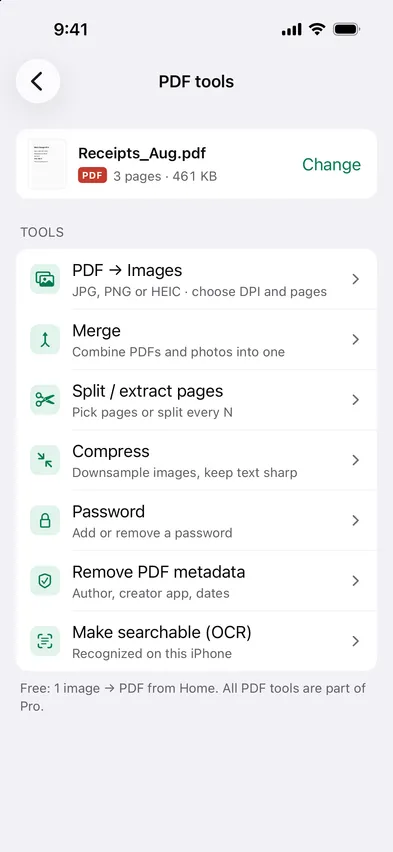
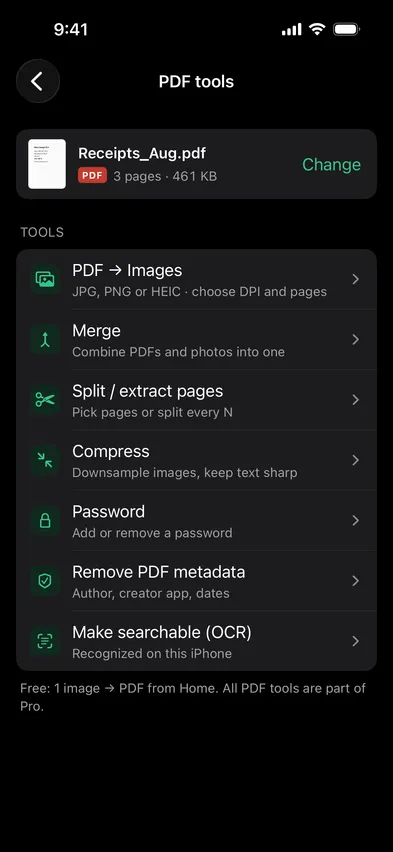
Open Stripix, choose PDF tools and pick your PDFs. Merge them, split pages out, compress them or export pages as images — all on your phone.

PDFs are usually the documents you least want on someone's server. Every PDF tool in Stripix runs on the device.
How your data is handledChoose a PDF opens Files, and the PDFs you opened before wait under Recent PDFs. Merge, Split, Compress and Password save a new file and leave the PDF you started with as it was. Compress shows Already compact when there's nothing to gain. Password adds a password or removes one you know. Make searchable (OCR) leaves pages that already have text as they are. The free version turns one image into a PDF from Home. Every tool on this page is part of Pro.
Yes, OCR adds a text layer on the device.
No.
Yes, PDF → Images does that.
The title, author, subject, keywords, the app it was created with, the producer and the dates. Pages, text and images stay the same.
 Stripix
PDF tools that stay offline.
Free to try. Your photos never leave your device.