

HEIC won't open on Windows? Convert HEIC to JPG on Android
Using an iPhone? Read the iPhone version
Short answer
HEIC photos won’t open on Windows? Convert them to JPG on your Android phone before you send them. Open Stripix, pick your photos and tap Convert → JPG. You set the quality and what metadata to keep, and it all runs on your phone. Convert HEIC to JPG shows the tool at a glance.
Turn HEIC into JPG before you send it
Stripix makes JPG copies on your phone and leaves the HEIC originals as they are.
- Open Stripix and tap Convert, then select your photos in the photo picker.
- Choose JPG under Output format. Lower Quality if you need a smaller file.
- Under Metadata, choose Keep all, Remove GPS or Remove all. Tap Convert 3 files (the button counts your photos).
- Tap Save 3 to Gallery. The JPGs are ready to send.

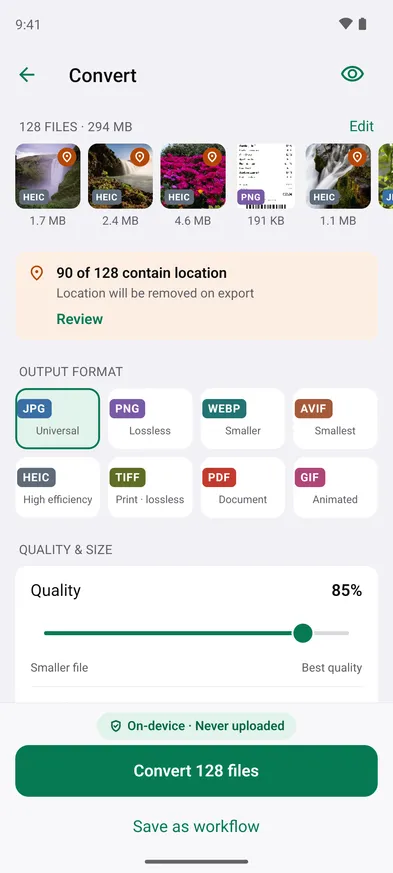

Single files are free. Batches, like a whole album in one go, are Pro. Everything runs on your phone. Nothing is uploaded.
Start from the Share menu
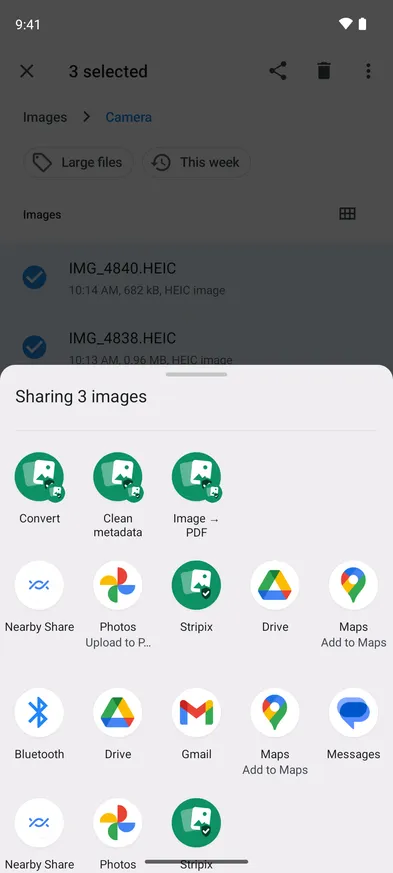
Photos in your gallery, Files or another app can go straight to Stripix. Select them, tap Share and pick Convert under Stripix. Android chooses which of Stripix’s actions the menu shows. If Convert isn’t there, pick Stripix, which opens the photos in Convert too.
Where the JPGs go
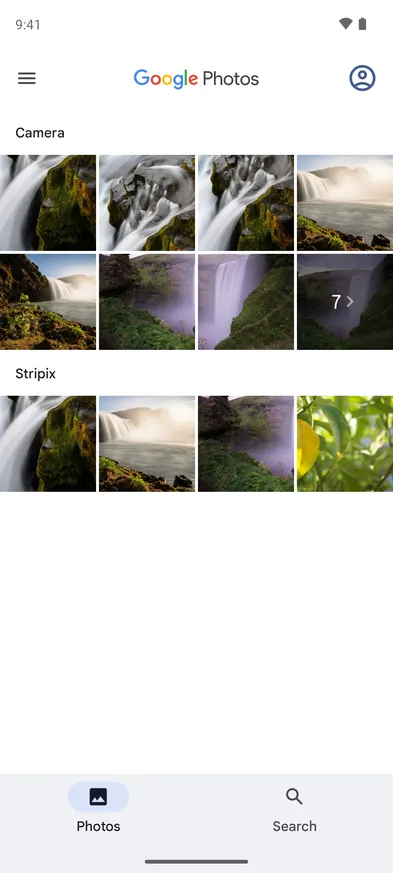
Save to Gallery puts the JPGs in a Stripix album, which your gallery app shows next to Camera. Save to Files saves them to a folder you pick, and Share sends them straight to another app.
Questions
Why are some of my photos HEIC?
HEIC stores a photo in about half the space of a JPG at the same quality. Photos sent from an iPhone usually arrive as HEIC. Windows PCs, older websites and some forms don't open it.
Does converting lose quality?
Slightly, since JPG is a lossier format. At the default quality the difference is invisible on screen. Keep the HEIC original if you might edit later.
Does Stripix see all my photos?
No. The Android photo picker hands Stripix only the photos you select, and Stripix asks for no storage permission.
Can I send the JPGs without my location?
Yes. Under Metadata, choose Keep all, Remove GPS or Remove all. Remove GPS is the default.