Stripix
Get the app
PDF → ImagesPDFJPG

Convert PDF to JPG on your phone

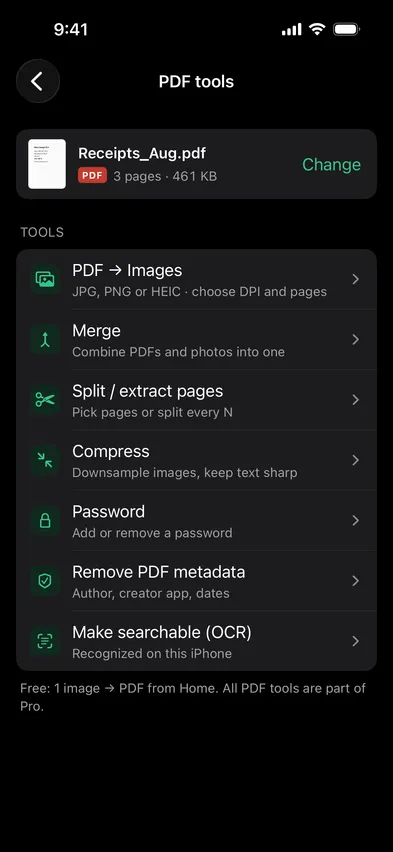
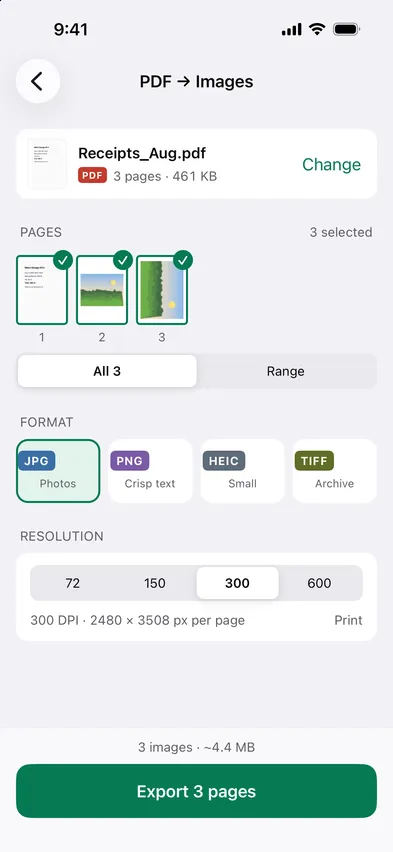
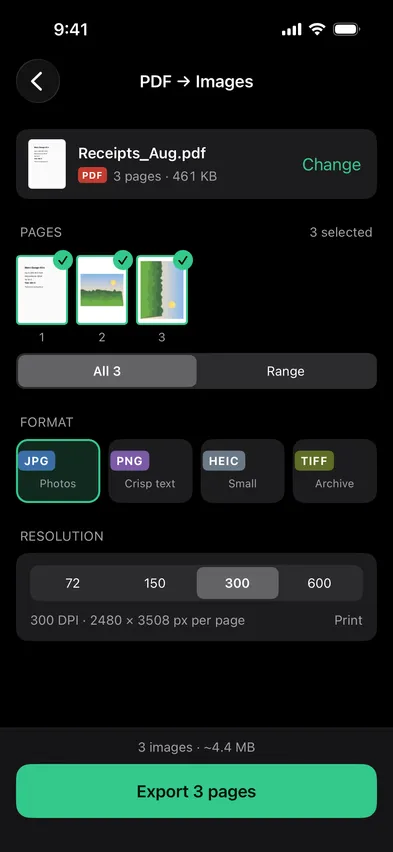
Open Stripix, choose PDF → Images in PDF tools, then pick the PDF and the pages you need. Choose JPG, PNG or HEIC (where your phone can save it) and a resolution from 72 to 600 DPI. The images land in Photos or Gallery, made on your phone.

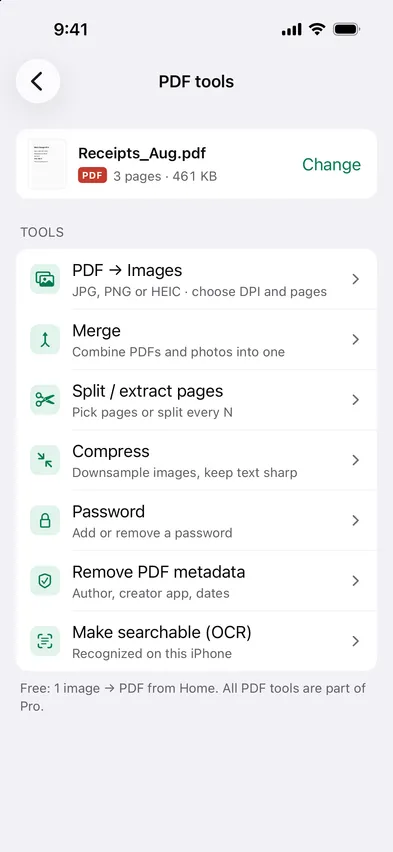
Every PDF tool is part of Pro. 7 days free, then $19.99 a year or $39.99 once.
On-device · Never uploadedWorks offline
HOW TO IN STRIPIX

How to convert a PDF to JPG in Stripix

  1. 1Pick the PDF and pagesAll pages, a range, or tap the ones you want.
    Stripix PDF tools screenStripix PDF tools screen
  2. 2Choose format and resolutionJPG for sharing, PNG for text and diagrams, 300 DPI for print.
    Stripix PDF → Images screenStripix PDF → Images screen
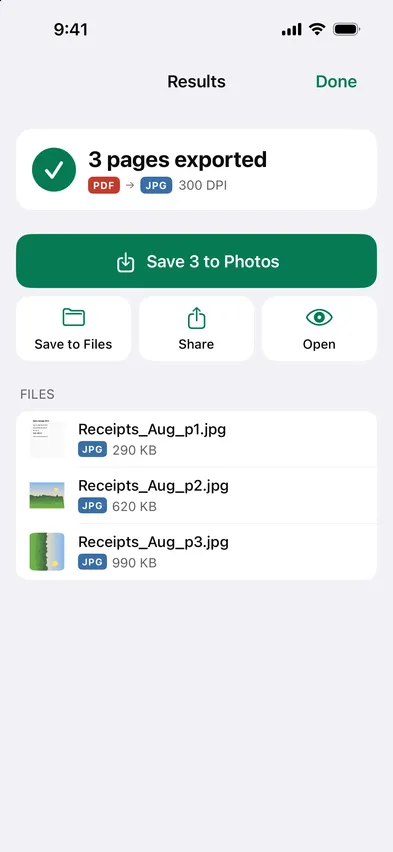
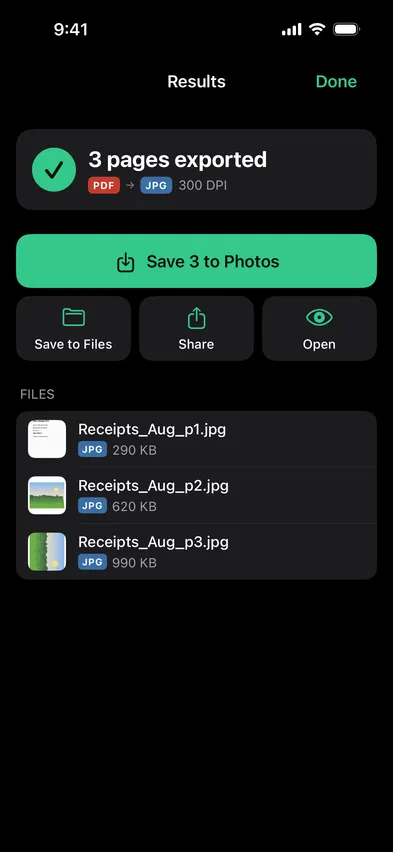
  3. 3ExportOne image per page, one tap to save to Photos or Gallery.
    Stripix PDF → Images results screenStripix PDF → Images results screen
WHY ON-DEVICE

One page or all of them, at the DPI you need

Screenshots of a PDF are blurry and cropped. Stripix renders each page at the resolution you choose, sharp enough to print.

How your data is handled
  1. 1Turn on Airplane Mode
  2. 2Convert or clean a batch
  3. 3Every tool keeps working

Good to know

Can I export just one page?

Yes, tap the pages you need.

What's the size at 300 DPI?

About 2480 × 3508 px for an A4 page.

Is there a page limit?

No.

Stripix

Every page, sharp, in your photos.

Free to try. Your photos never leave your device.

Get the appAndroid phones and tablets now · iPhone next · iPad and Mac later