Stripix
Get the app
ConvertHEICJPG

Convert HEIC to JPG on your phone

Open Stripix, pick your HEIC photos and choose JPG. The whole batch converts on your phone in seconds, and nothing is uploaded.

Free for single photos. Batches need Pro.
On-device · Never uploadedWorks offline
HOW TO IN STRIPIX

How to convert HEIC to JPG in Stripix

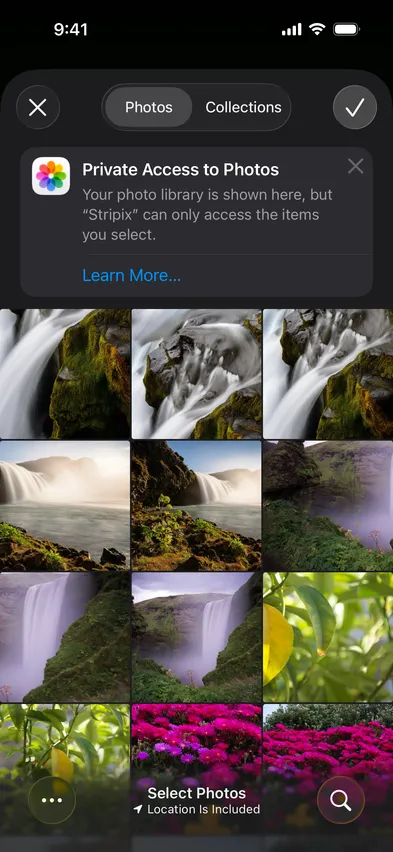
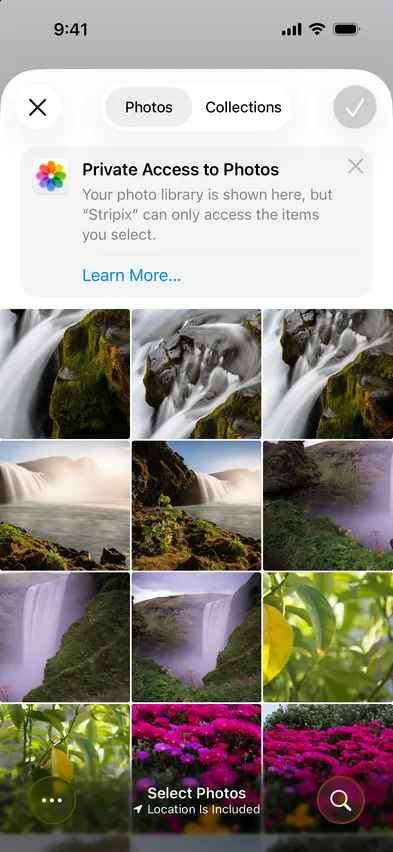
  1. 1Pick the photosOne photo or a whole album, from the photo picker (iPhone and Android) or Files.
    Stripix photo picker screenStripix photo picker screen
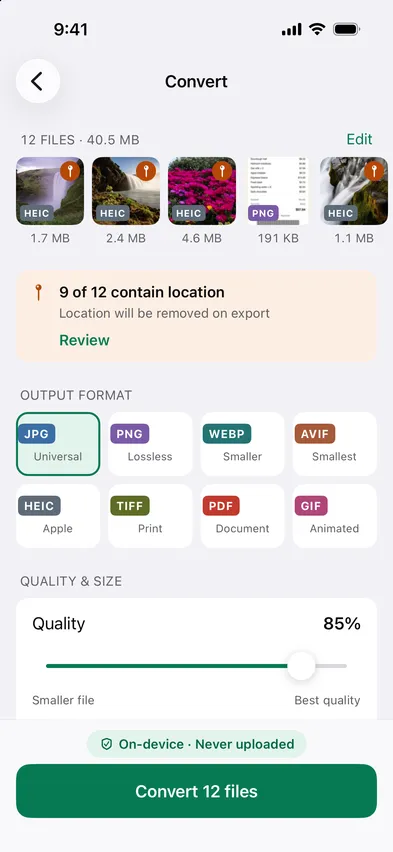
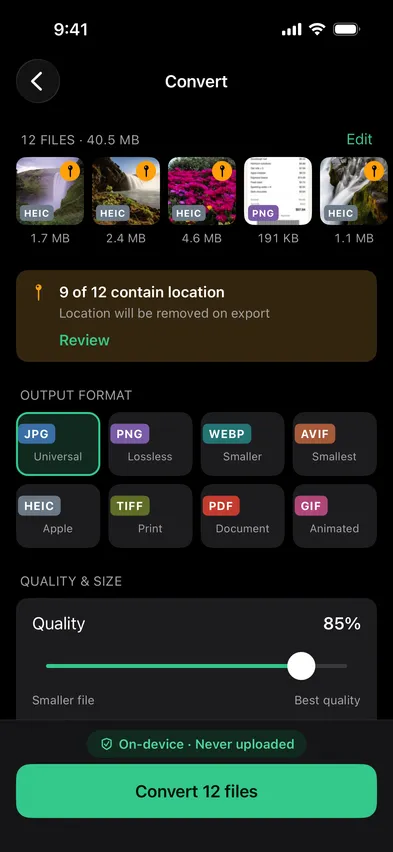
  2. 2Choose JPGJPG at 85% is the default. You see the size before you start.
    Stripix Convert screenStripix Convert screen
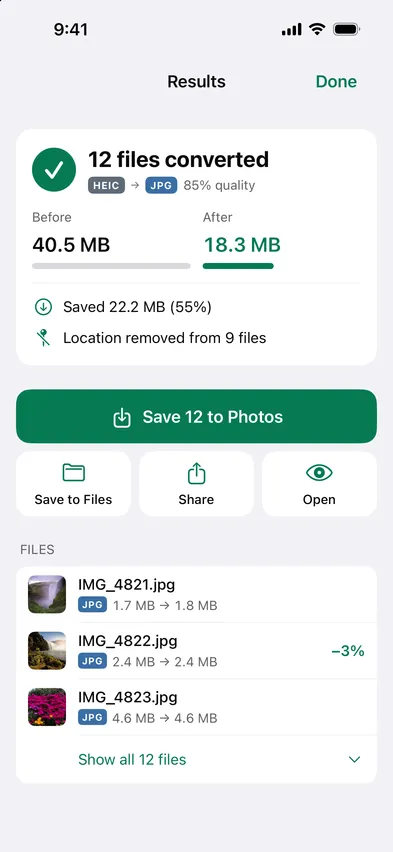
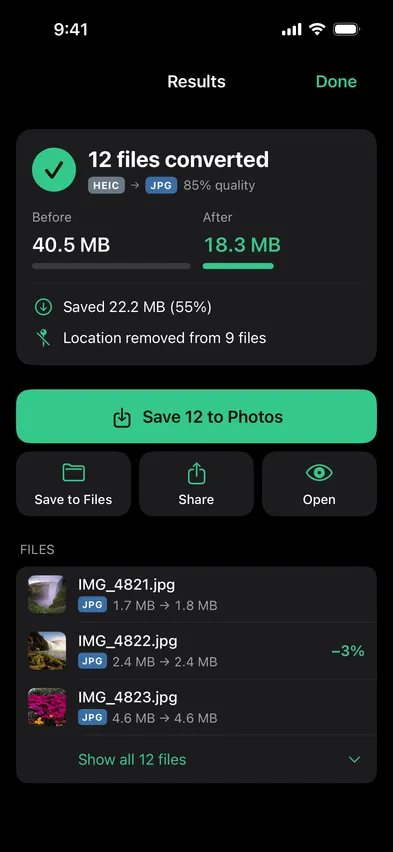
  3. 3SaveJPGs go to the Stripix album in Photos or Gallery. Originals are kept.
    Stripix Convert results screenStripix Convert results screen
WHY ON-DEVICE

Your photos never leave your device

HEIC photos often carry your location. Online converters need you to upload them first. Stripix converts on your phone, so the photos and their metadata stay with you.

How your data is handled
  1. 1Turn on Airplane Mode
  2. 2Convert or clean a batch
  3. 3Every tool keeps working

Good to know

Does it keep the date and camera info?

Yes. By default only GPS is removed. Date and camera stay. You can keep everything or remove all of it.

Can I convert a whole album?

Yes, with Pro. Pick hundreds of photos and convert them in one go.

Where do the JPGs go?

To the Stripix album in your photo library (Photos on iPhone, Gallery on Android), or to a folder in Files if you choose. Your HEIC originals are kept.

Stripix

Convert HEIC to JPG in one tap.

Free to try. Your photos never leave your device.

Get the appAndroid phones and tablets now · iPhone next · iPad and Mac later